 ## 2. Request format
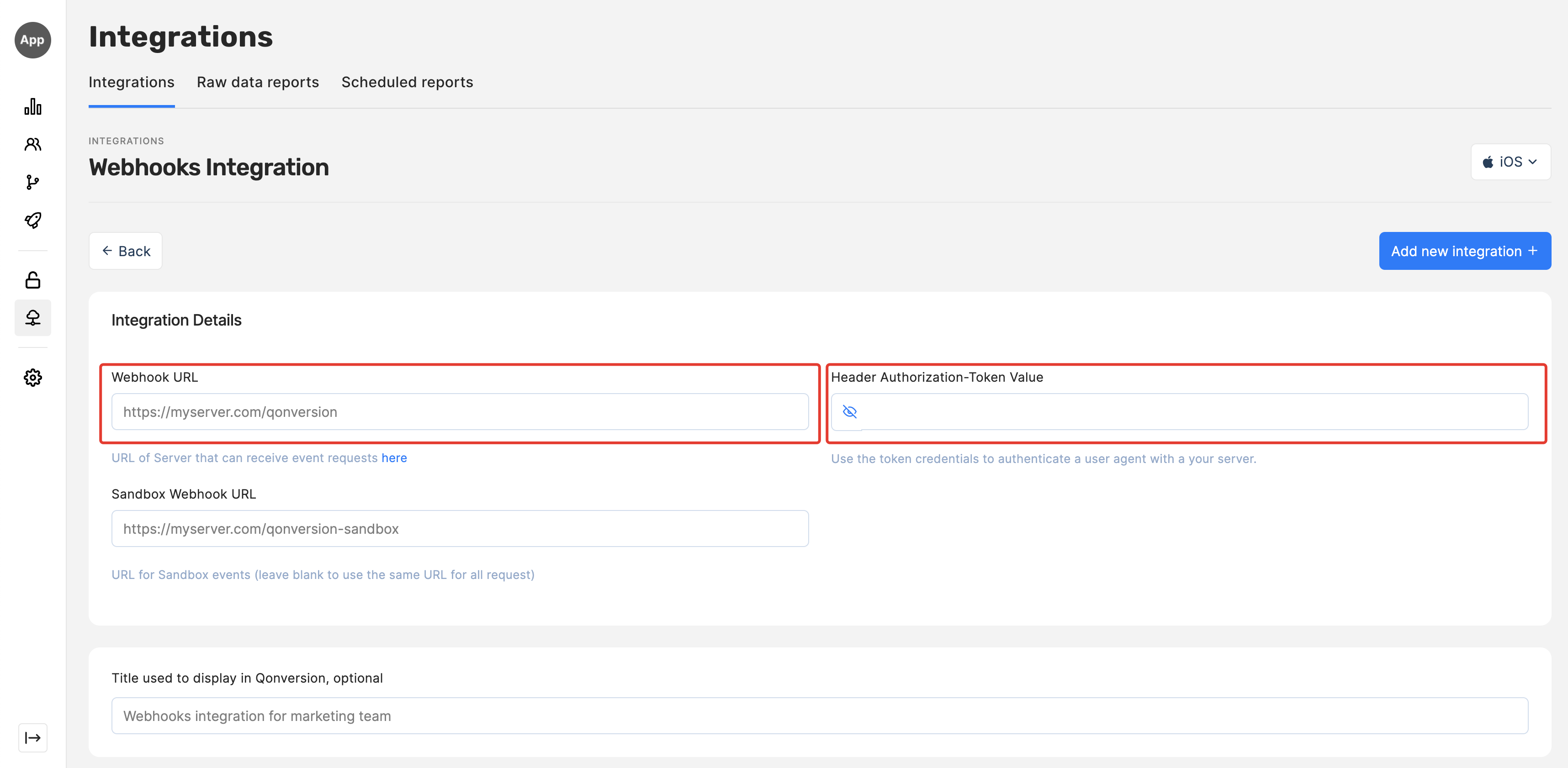
Qonversion sends **POST** request to webhook URL every time an event occurs. The request header contains Authorization-Token Value as Basic authorization field. Use that to protect your server from unwanted requests.
> ☝️ SSL certificate
>
> Remember, maintaining secure connections is essential for the integrity and reliability of your application's communication.
>
> Ensure the SSL certificate used is not expired and your server's CA bundle is up-to-date to recognize the latest root CAs.
**Request Header:**
```json theme={null}
Authorization: Basic {Header Authorization-Token}
Accept: application/json
```
**Request Body:**
```json theme={null}
{
"event_name": "trial_converted",
"user_id": "3YjIDEUDaf_5g4IdWw6zcMlLgfg_YQp2",
"custom_user_id": "",
"identity_id": "",
"advertiser_id": "9FD1767D-8B48-45BD-A2F4-1C08B08E56F2",
"time": 1600000000,
"created_at": 1600000000,
"product_id": "com.myapp.subs.9.99.trial",
"revenue": {
"value": 7.99,
"value_usd": 9.99,
"currency": "GBP",
"is_proceed": 0,
"proceeds_rate": 70
},
"price": {
"value": 7.99,
"value_usd": 9.99,
"currency": "GBP"
},
"transaction": {
"transaction_id": 500000601234560,
"original_transaction_id": 500000601234560,
"expires": 1600259200,
"grace_period_expires": null
},
"properties": {
"_q_email": "me@qonversion.io"
},
"device_id": "0E66565D-4F3A-E366-B3D4-B5DDAC6BBE2E",
"app_version": "2.1.4",
"sdk_version": "3.1.0",
"environment": "production",
"platform": "iOS",
"ip": "10.0.0.1",
"country": "GB",
"old_product_id": "com.myapp.subs.4.99.trial",
"new_product_id": "com.myapp.subs.9.99.trial",
}
```
## 2. Request format
Qonversion sends **POST** request to webhook URL every time an event occurs. The request header contains Authorization-Token Value as Basic authorization field. Use that to protect your server from unwanted requests.
> ☝️ SSL certificate
>
> Remember, maintaining secure connections is essential for the integrity and reliability of your application's communication.
>
> Ensure the SSL certificate used is not expired and your server's CA bundle is up-to-date to recognize the latest root CAs.
**Request Header:**
```json theme={null}
Authorization: Basic {Header Authorization-Token}
Accept: application/json
```
**Request Body:**
```json theme={null}
{
"event_name": "trial_converted",
"user_id": "3YjIDEUDaf_5g4IdWw6zcMlLgfg_YQp2",
"custom_user_id": "",
"identity_id": "",
"advertiser_id": "9FD1767D-8B48-45BD-A2F4-1C08B08E56F2",
"time": 1600000000,
"created_at": 1600000000,
"product_id": "com.myapp.subs.9.99.trial",
"revenue": {
"value": 7.99,
"value_usd": 9.99,
"currency": "GBP",
"is_proceed": 0,
"proceeds_rate": 70
},
"price": {
"value": 7.99,
"value_usd": 9.99,
"currency": "GBP"
},
"transaction": {
"transaction_id": 500000601234560,
"original_transaction_id": 500000601234560,
"expires": 1600259200,
"grace_period_expires": null
},
"properties": {
"_q_email": "me@qonversion.io"
},
"device_id": "0E66565D-4F3A-E366-B3D4-B5DDAC6BBE2E",
"app_version": "2.1.4",
"sdk_version": "3.1.0",
"environment": "production",
"platform": "iOS",
"ip": "10.0.0.1",
"country": "GB",
"old_product_id": "com.myapp.subs.4.99.trial",
"new_product_id": "com.myapp.subs.9.99.trial",
}
```
| Column | Required | Description |
|---|---|---|
| event\_name | yes | Event name provided in the integration config.\ See the details on the events tracked [here](/docs/integrations-overview) |
| user\_id | yes | Unique user identifier assigned by Qonversion |
| custom\_user\_id | yes | Unique user identifier that you can set with Qonversion SDK methods: [User Identifiers](/docs/user-identifiers#logging-in) |
| identity\_id | yes | Unique user ID for the authenticated users that you can set using identify method of the Qonversion SDK |
| advertiser\_id | yes | IDFA or AAID |
| time | yes | The time an app store changed a subscription status or a time Qonversion detected the change in the UNIX epoch time format in seconds. Read more about events time [here](/docs/integrations-overview#event-time) |
| created\_at | yes | The time Qonversion generated the event |
| product\_id | yes | App Store or Google Play Store product identifier |
| revenue | yes | Dictionary with transaction revenue details. Only events with value filled |
| price | yes | Dictionary containing the price details of the product |
| transaction | yes | Dictionary with store transaction IDs and expiration timestamp |
| properties | yes | User properties provided by SDK. Read more about user properties [here](/docs/user-properties) |
| device\_id | yes | identifierForVendor or Settings Secure Android ID |
| app\_version | no | Application version |
| sdk\_version | no | Qonversion SDK version |
| environment | yes | "production" or "sandbox" |
| platform | yes | "iOS" or "Android" |
| ip | yes | Application device IP address |
| country | yes | A two-letter code representing a country, defined by the [ISO 3166-1 alpha-2](https://en.wikipedia.org/wiki/ISO_3166-1_alpha-2) standard |
| old\_product\_id | no | Previous product (for product change events) |
| new\_product\_id | no | New product (for product change events) |
| Column | Required | Description |
|---|---|---|
| value | yes | Value in user's currency |
| value\_usd | yes | Value in USD |
| currency | yes | Three-letter ISO currency code |
| is\_proceed | yes | 1 – if `value` and `value_usd` are net excluding app stores' commission;\ 0 - if values are before deducting app stores commission; |
| proceeds\_rate | yes | 70 or 85; Proceeds rate that developer receives after deducting app stores commission. |
| Column | Required | Description |
|---|---|---|
| transaction\_id | yes | Transaction\_id from App Store (e.g. 521456677817903) or Play Store (e.g. GPA.4563-9870-7648-87395) |
| original\_transaction\_id | yes | Transaction\_id from App Store (e.g. 521456677817903) or Play Store (e.g. GPA.4563-9870-7648-87395) |
| expires | yes | Expire timestamp for purchase, prolong or product change events, event timestamp for refund or upgrade events. |
| grace\_period\_expires | yes | Grace period expiration timestamp.\ This field returns the timestamp for the grace period expiration. |