> ## Documentation Index
> Fetch the complete documentation index at: https://documentation.qonversion.io/llms.txt
> Use this file to discover all available pages before exploring further.
# Server Notifications
> Server Notifications are notifications sent from supported stores to Qonversion and are configured in the dashboard settings. These notifications contain updates on purchases, cancellations, refunds and conversions so we can ensure we send events promptly.
### Friendly reminder
We recommend enabling Server Notifications to speed up [Webhooks](webhooks), third-party Integration events delivery time and Analytics charts update.
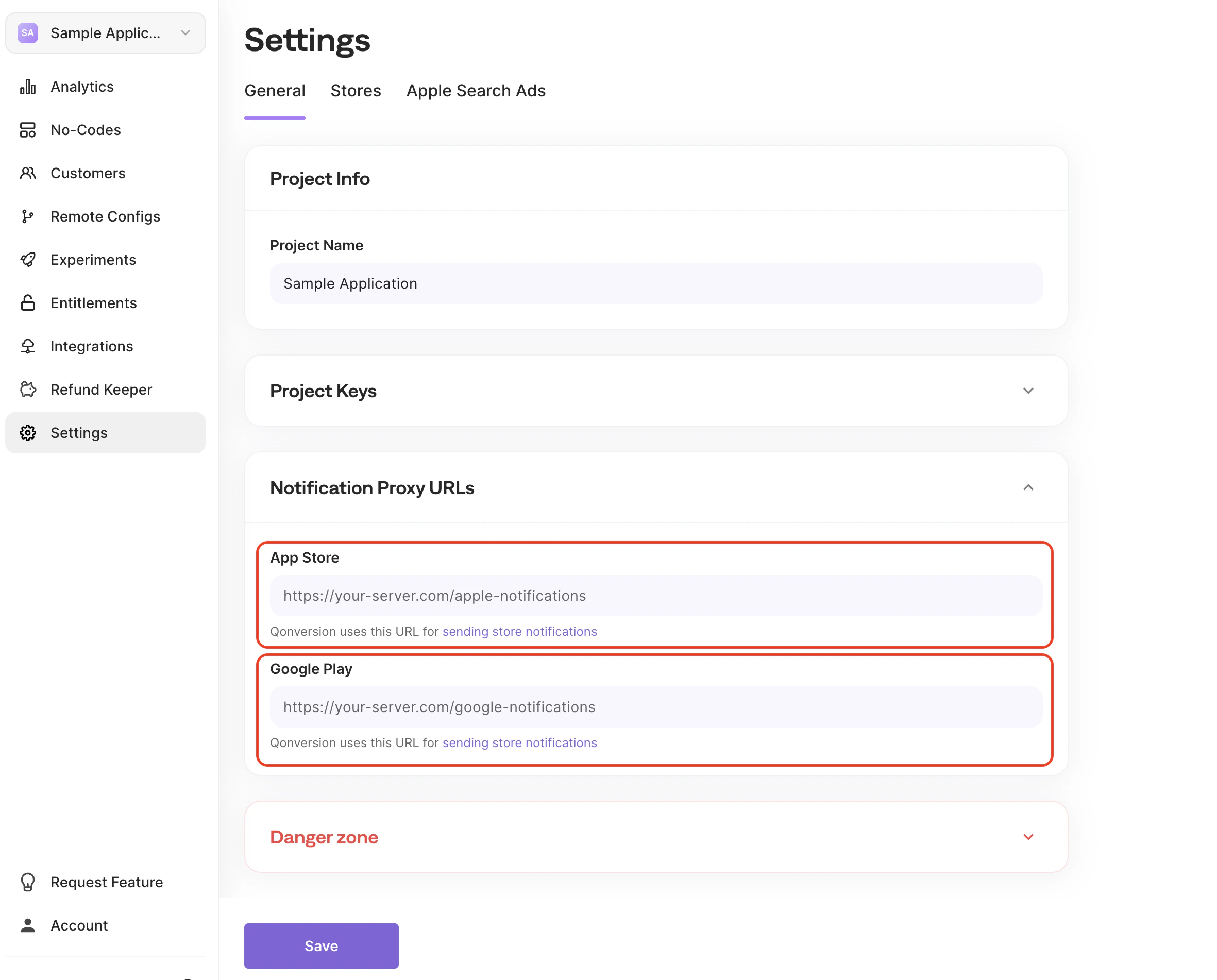
## Proxy URL
Set proxy URL to receive all incoming Apple App Store or Google Play Notifications on your side, proxying through Qonversion infrastructure. That could be useful if you want to handle Apple's or Google's server-to-server notifications on your server in addition to the Qonversion service.
 ## Paddle webhooks
For [Paddle](paddle-integration), there is nothing to configure manually. When you connect Paddle in **Project Settings → Stores**, Qonversion registers the webhook destination on your Paddle account automatically so that subscriptions, renewals, and refunds flow into Qonversion. See [Paddle Credentials](paddle-credentials) for the connection steps.
***
What’s Next
* [Apple Server-to-Server Notifications](ios-s2s-notifications)
* [Google Developer Notifications](google-developer-notifications)
* [Paddle Integration](paddle-integration)
## Paddle webhooks
For [Paddle](paddle-integration), there is nothing to configure manually. When you connect Paddle in **Project Settings → Stores**, Qonversion registers the webhook destination on your Paddle account automatically so that subscriptions, renewals, and refunds flow into Qonversion. See [Paddle Credentials](paddle-credentials) for the connection steps.
***
What’s Next
* [Apple Server-to-Server Notifications](ios-s2s-notifications)
* [Google Developer Notifications](google-developer-notifications)
* [Paddle Integration](paddle-integration)