> ## Documentation Index
> Fetch the complete documentation index at: https://documentation.qonversion.io/llms.txt
> Use this file to discover all available pages before exploring further.
# Launch A/B test from Remote Config
> Iterate with monetization A/B tests without app releases
## 1. Create experiment from configuration
If you do not have [Remote Config](https://dash.qonversion.io/remote-configs) created yet, please, make it first.
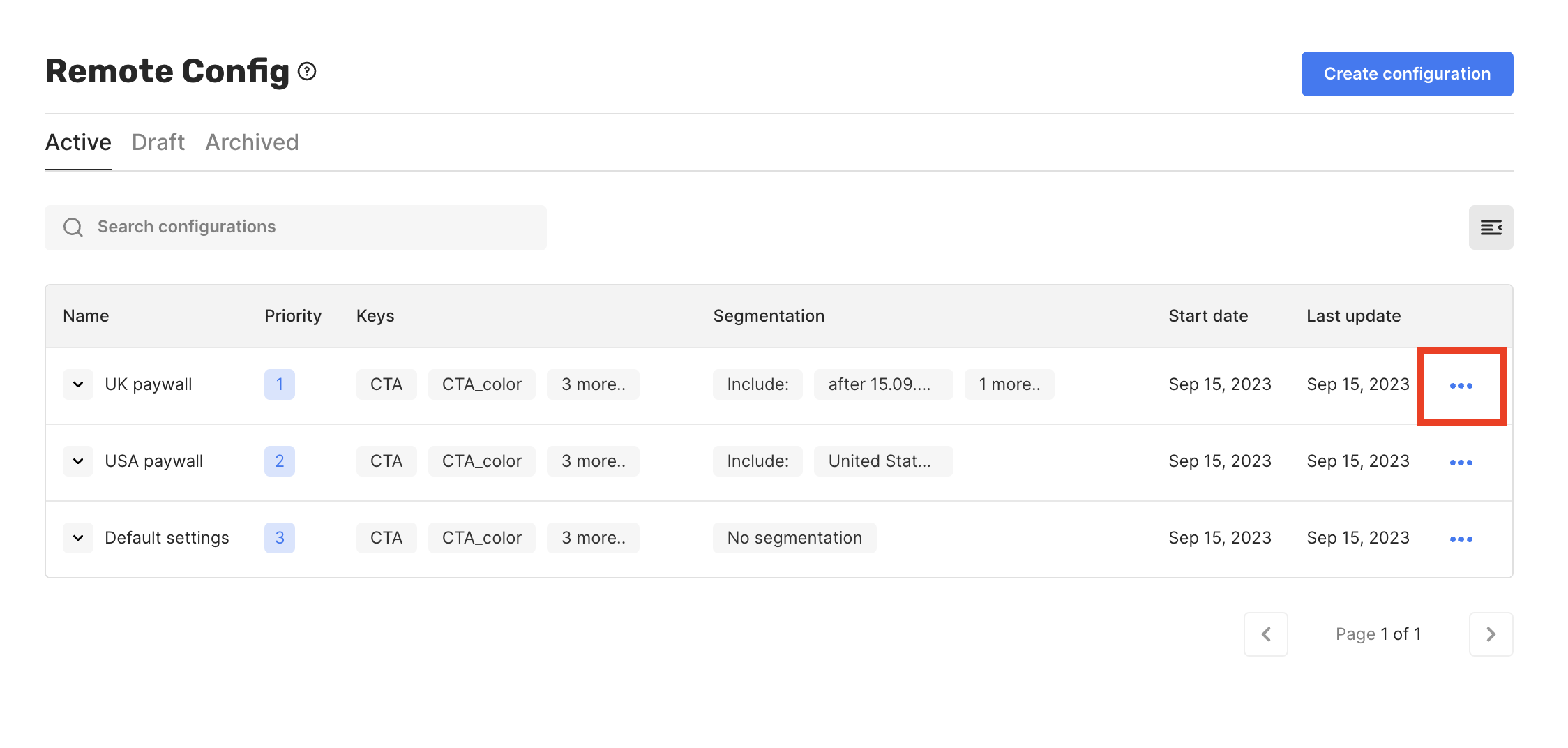
After you have your configuration launched, you can start experiments based on it:
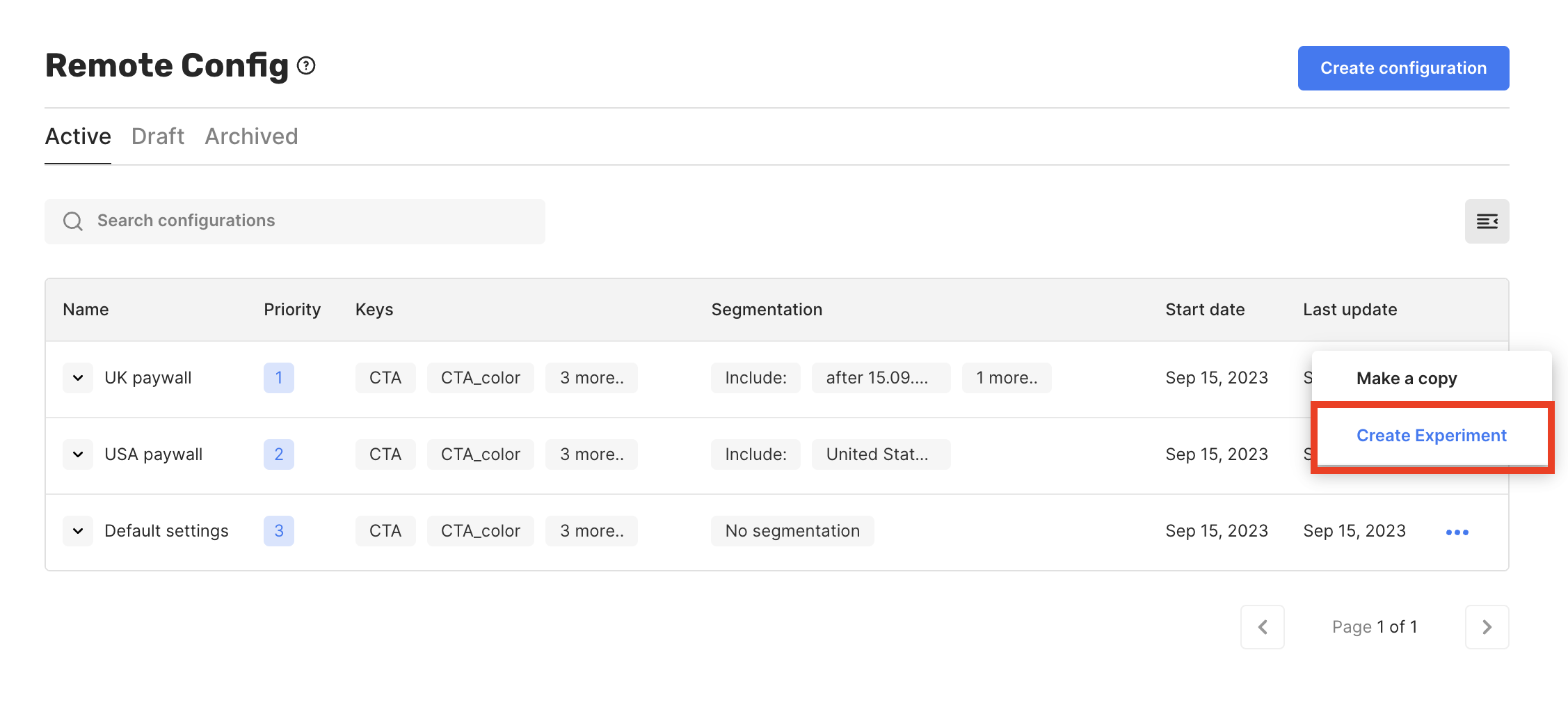
1. Find the configuration's context menu.
2. Click the "Create Experiment" button.
3. Adjust relevant keys to set up your new app behavior.
4. [Validate change](launch-experiments#test-changes-before-launch) before app release.
5. [Set traffic level](launch-experiments#3-adjust-traffic-level) and [launch the experiment](launch-experiments#4-launch-the-setup).
 ## 2. Create configuration from experiment
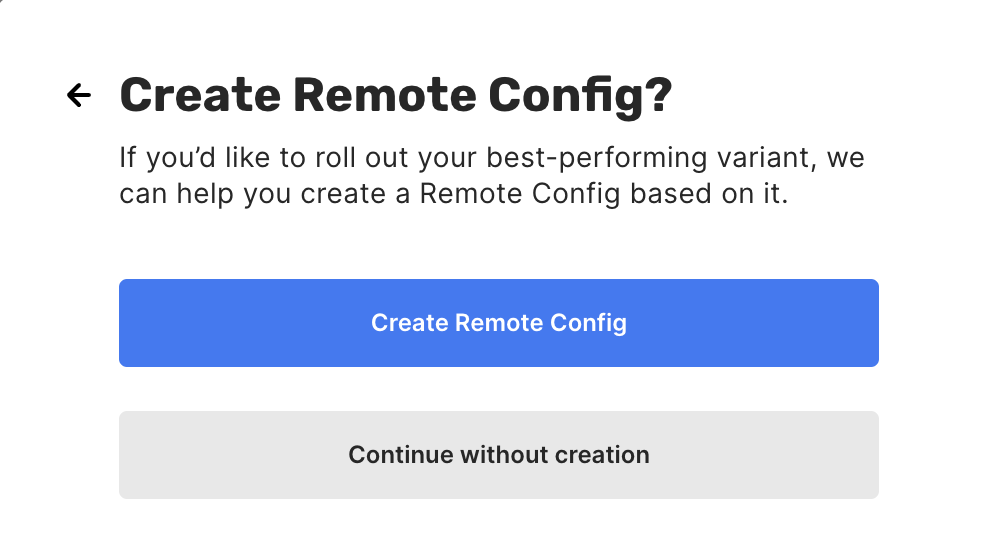
Once your hypothesis is validated, you might want to create a new Remote Configuration containing new payload or segmentation settings without additional app releases.
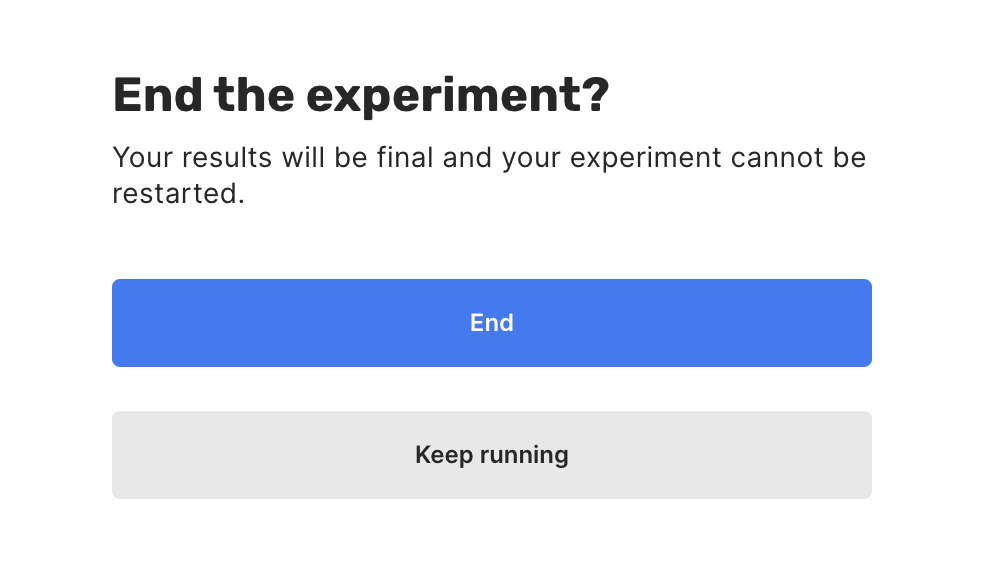
With this in mind, we have built a seamless approach that enables you to create new configurations from the experiment interface. **End** your experiment and select the **Create Remote Config** option.
## 2. Create configuration from experiment
Once your hypothesis is validated, you might want to create a new Remote Configuration containing new payload or segmentation settings without additional app releases.
With this in mind, we have built a seamless approach that enables you to create new configurations from the experiment interface. **End** your experiment and select the **Create Remote Config** option.
 ## 3. Archive old Remote Config
After creating a new configuration during Step #2, you have two similar entities running:
* The one you started from during [Step #1](launch-test-from-remote-config#1-create-experiment-from-configuration).
* The one you have launched during [Step #2](launch-test-from-remote-config#2-create-configuration-from-experiment).
We highly recommend archiving the old configuration (from step #1) to avoid unexpected behavior. To accomplish this:
1. Follow the [Remote Config](https://dash.qonversion.io/remote-configs) page in Qonversion dashboard.
2. Find and click on the previously created configuration.
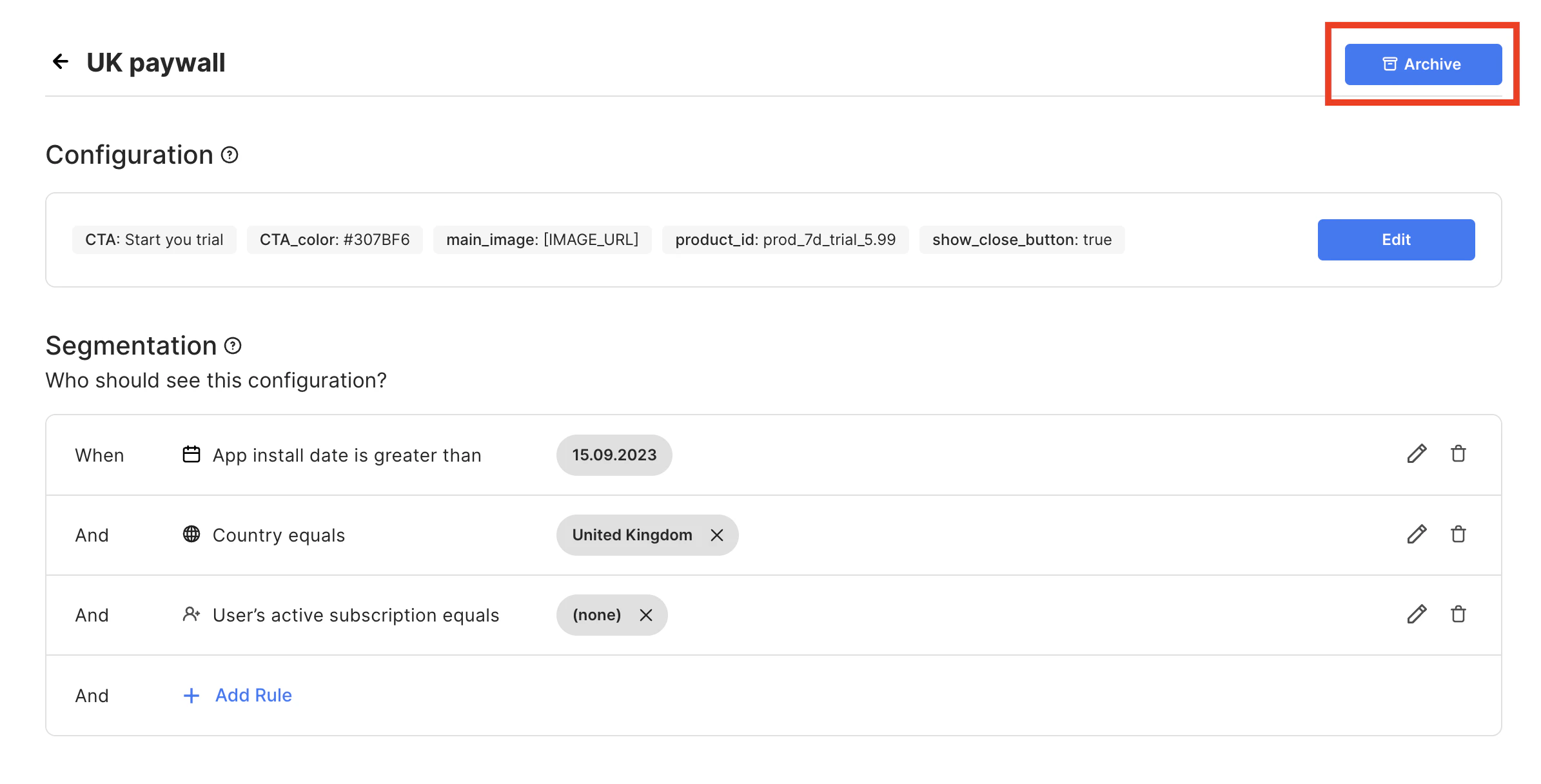
3. Use the **Archive** button to stop it from running.
## 3. Archive old Remote Config
After creating a new configuration during Step #2, you have two similar entities running:
* The one you started from during [Step #1](launch-test-from-remote-config#1-create-experiment-from-configuration).
* The one you have launched during [Step #2](launch-test-from-remote-config#2-create-configuration-from-experiment).
We highly recommend archiving the old configuration (from step #1) to avoid unexpected behavior. To accomplish this:
1. Follow the [Remote Config](https://dash.qonversion.io/remote-configs) page in Qonversion dashboard.
2. Find and click on the previously created configuration.
3. Use the **Archive** button to stop it from running.
 ## 4. Repeat
Congratulations! Following the abovementioned steps, you have completed your first *configuration -> experiment -> rollout* cycle. Now, you can leverage remotely configured onboarding flows, paywalls, or pricing to grow your in-app revenue. Moreover, our concept allows you to iterate without app releases.
***
[Create Remote Config](remote-config)
[Paywall experiments](paywall-experiments)
## 4. Repeat
Congratulations! Following the abovementioned steps, you have completed your first *configuration -> experiment -> rollout* cycle. Now, you can leverage remotely configured onboarding flows, paywalls, or pricing to grow your in-app revenue. Moreover, our concept allows you to iterate without app releases.
***
[Create Remote Config](remote-config)
[Paywall experiments](paywall-experiments)