> ## Documentation Index
> Fetch the complete documentation index at: https://documentation.qonversion.io/llms.txt
> Use this file to discover all available pages before exploring further.
# Customers
> Analyze your subscriber's data
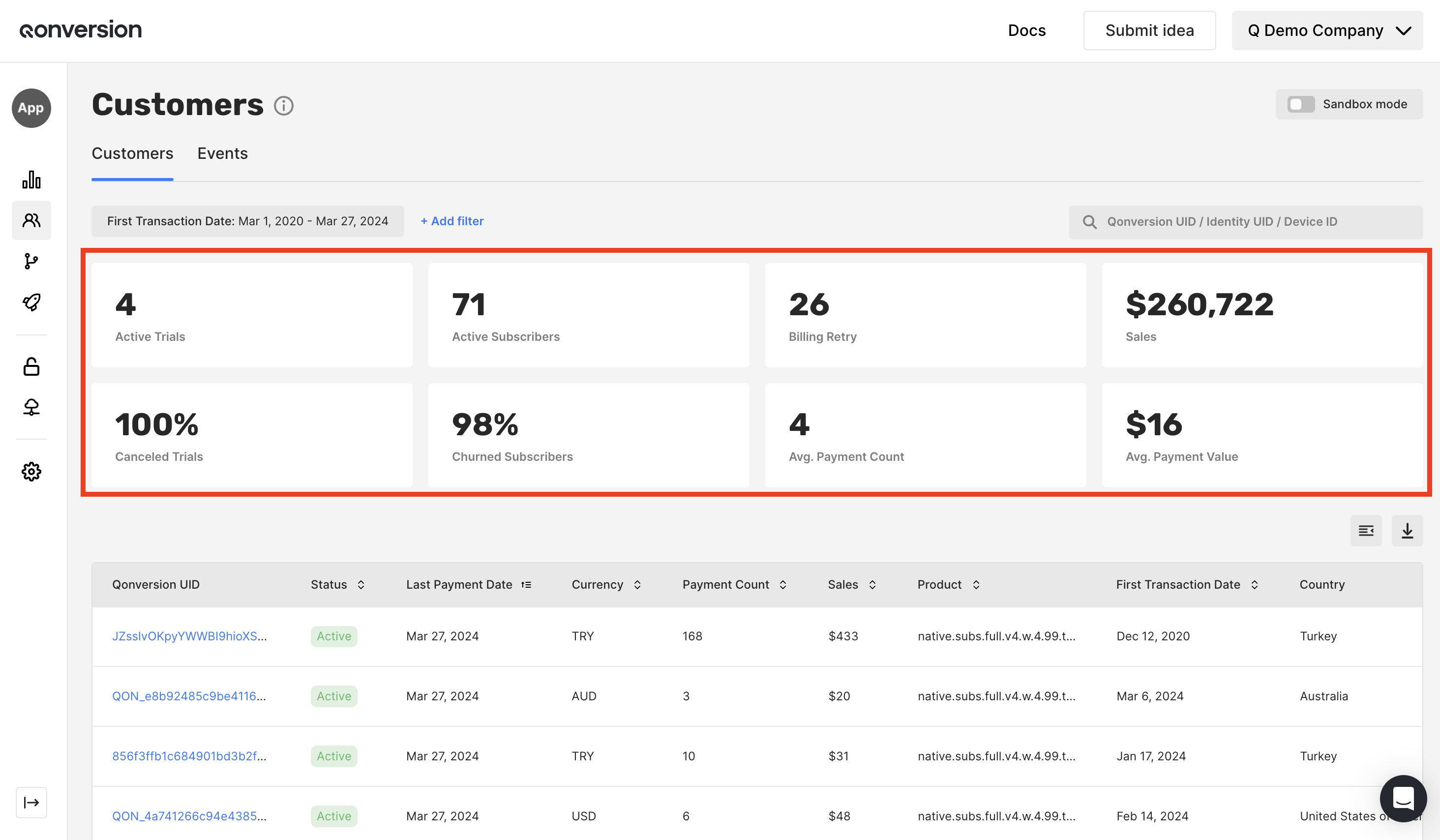
The Customers dashboard provides the data for a cohort of users who made payments in the selected period. For example, if you chose the Jan 1 to Jan 30 date range, you will get the metrics for the cohort or paying users acquired during this period based on their **subscription start date** or the **one-time purchase date**.
## Available Metrics
| Name | Description |
| ------------------ | --------------------------------------------------------------------------------------------------------------------------------------------------- |
| Active Trials | The number of trials active to date. |
| Active Subscribers | The number of subscriptions active to date. |
| Billing Retry | The number of subscribers in the billing retry state to date. |
| Sales | The total revenue before App Stores commissions from users acquired in the selected period, including renewals, one-time payments, and net refunds. |
| Canceled Trials | The percentage of started trials canceled to date. |
| Churn Subscribers | The percentage of users that have canceled a subscription to date. |
| Avg. Payment Count | The total number of payments divided by the number of users that converted after a free trial, started a subscription or made a one-time purchase. |
| Avg. Payment Value | The total revenue divided by the total number of payments. |
All metrics in this section relate to a cohort of trial or paying users acquired in the selected period based on either the subscription start date or the one-time purchase date
The Customers list only includes users who have triggered at least one transaction event (trial, subscription, one-time purchase, or renewal). Newly created users with no events yet do not appear here until they fire their first event - use the customer search to look them up directly by Qonversion ID, identity, or email. See [Sandbox Testing](testing#3-how-sandbox-and-production-data-are-organized) for more on how environment scoping affects the dashboard.
***
What’s Next
* [Edit Entitlements](edit-entitlements)
* [Customer Details](customer-details)
 | Name | Description |
| ------------------ | --------------------------------------------------------------------------------------------------------------------------------------------------- |
| Active Trials | The number of trials active to date. |
| Active Subscribers | The number of subscriptions active to date. |
| Billing Retry | The number of subscribers in the billing retry state to date. |
| Sales | The total revenue before App Stores commissions from users acquired in the selected period, including renewals, one-time payments, and net refunds. |
| Canceled Trials | The percentage of started trials canceled to date. |
| Churn Subscribers | The percentage of users that have canceled a subscription to date. |
| Avg. Payment Count | The total number of payments divided by the number of users that converted after a free trial, started a subscription or made a one-time purchase. |
| Avg. Payment Value | The total revenue divided by the total number of payments. |
| Name | Description |
| ------------------ | --------------------------------------------------------------------------------------------------------------------------------------------------- |
| Active Trials | The number of trials active to date. |
| Active Subscribers | The number of subscriptions active to date. |
| Billing Retry | The number of subscribers in the billing retry state to date. |
| Sales | The total revenue before App Stores commissions from users acquired in the selected period, including renewals, one-time payments, and net refunds. |
| Canceled Trials | The percentage of started trials canceled to date. |
| Churn Subscribers | The percentage of users that have canceled a subscription to date. |
| Avg. Payment Count | The total number of payments divided by the number of users that converted after a free trial, started a subscription or made a one-time purchase. |
| Avg. Payment Value | The total revenue divided by the total number of payments. |