> ## Documentation Index
> Fetch the complete documentation index at: https://documentation.qonversion.io/llms.txt
> Use this file to discover all available pages before exploring further.
# Creating Notifications
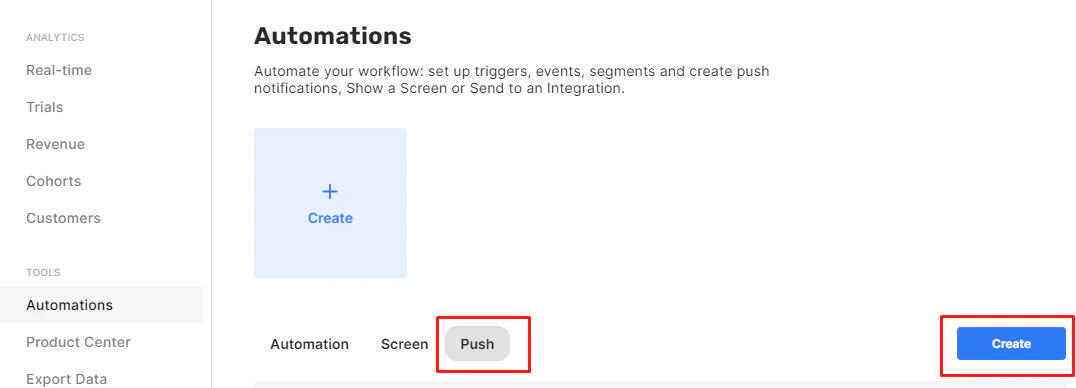
To create a push notification, navigate to [Qonversion Dashboard](https://dash.qonversion.io/actions/action/index) and select the **Automations** tab from the left menu.\
Select the **Push** option, and click **Create**.
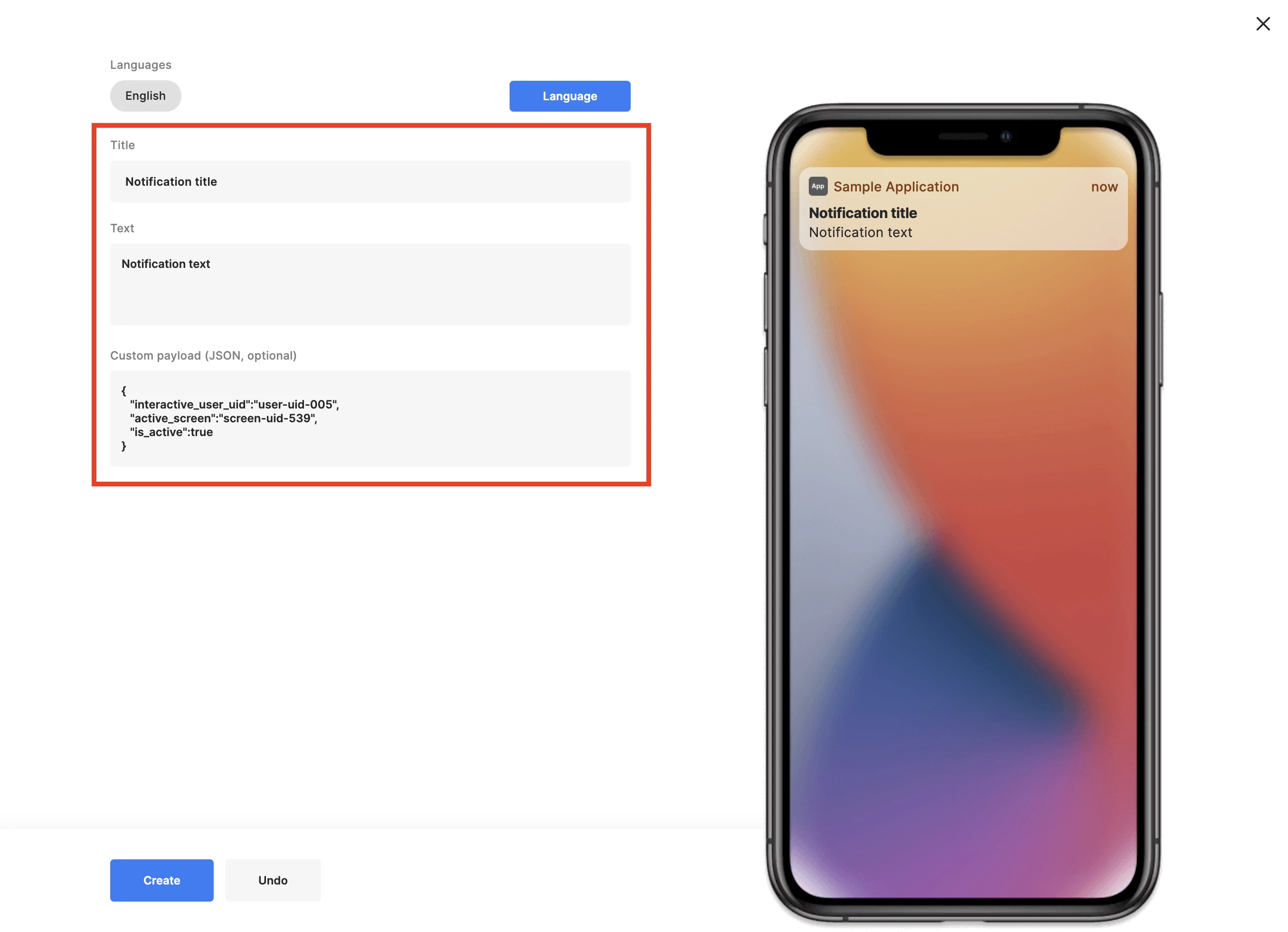
 Here you can see the mockup of the mobile device. Provide the title and the content for your push notification.
Provide a custom payload if you need to send custom data to your devices. Custom payload is an optional field. It must be valid JSON, not more than 1 Kb and has a format like a simple map, not an array. It may help you to work with data on the SDK side more comfortable. Later you can leverage this data [using our SDK](/docs/handling-push-notifications-on-device#custom-payload).
Here you can see the mockup of the mobile device. Provide the title and the content for your push notification.
Provide a custom payload if you need to send custom data to your devices. Custom payload is an optional field. It must be valid JSON, not more than 1 Kb and has a format like a simple map, not an array. It may help you to work with data on the SDK side more comfortable. Later you can leverage this data [using our SDK](/docs/handling-push-notifications-on-device#custom-payload).
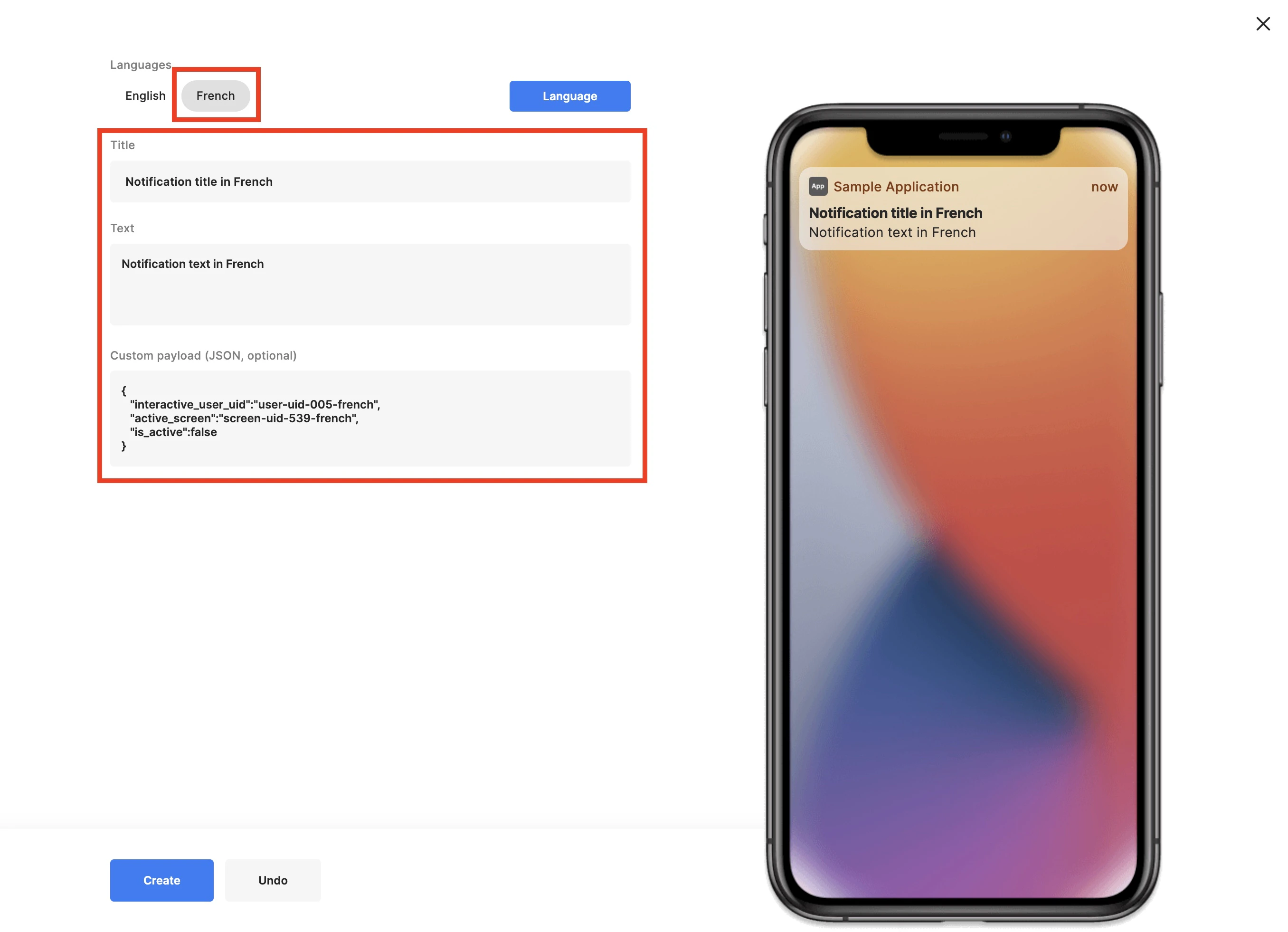
 Depending on the device's locale, Qonversion will send a push notification with the content using the required language.\
If the required language is not set, Qonversion will send it in the default language.\
You can also configure the default language for push notifications.
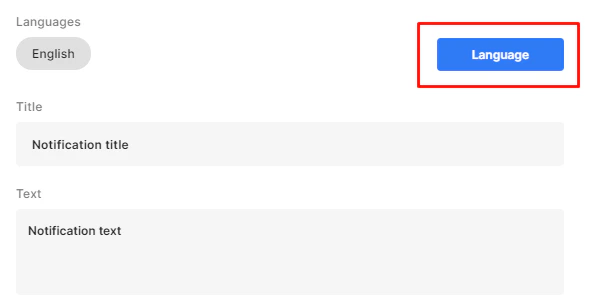
Click on **Language** to set up the language.
Depending on the device's locale, Qonversion will send a push notification with the content using the required language.\
If the required language is not set, Qonversion will send it in the default language.\
You can also configure the default language for push notifications.
Click on **Language** to set up the language.
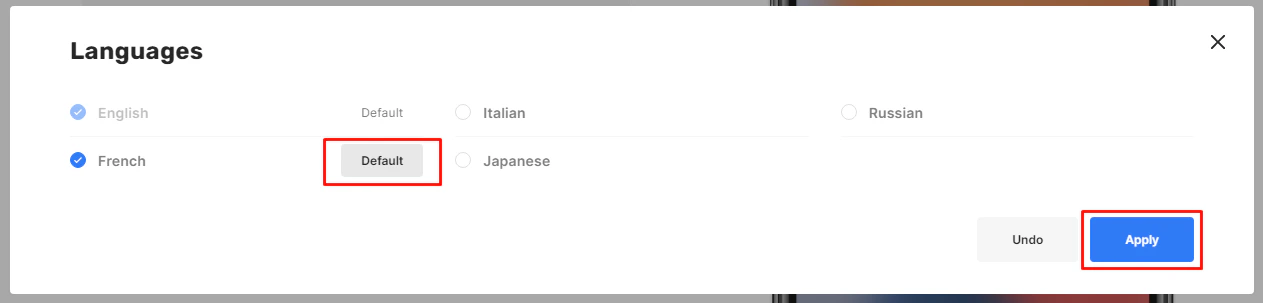
 Select the required language from the list. If necessary, mark it as the default language.
 Now you can customize the content depending on the language.