> ## Documentation Index
> Fetch the complete documentation index at: https://documentation.qonversion.io/llms.txt
> Use this file to discover all available pages before exploring further.
# CleverTap
> Send in-app subscription events to CleverTap to engage and win back your subscribers
Connect CleverTap account to Qonversion to launch user engagement campaigns, win back your customers, or reach them out when they have billing issues. After the connection is complete, Qonversion will be sending all the [subscription events](integrations-overview#tracked-events) to CleverTap.
To run the integration, follow the steps below.
## 1. Setup the SDKs
1. Make sure you have CleverTap SDK installed. Check the official CleverTap SDK documentation [here](https://developer.clevertap.com/docs/clevertap-sdks).
2. Set Qonversion SDK following [Installing the SDKs guides](install-sdk).
3. Send *yourSideUserId* to Qonversion using [Custom User Properties](user-properties#optional-set-user-id).
## 2. Configure the CleverTap Integration
1. Open the CleverTap dashboard using your region-based URL and log in:
* [India](https://in1.dashboard.clevertap.com/login.html)
* [Singapore](https://sg1.dashboard.clevertap.com/login.html)
* [United States](https://us1.dashboard.clevertap.com/login.html)
* [Indonesia](https://aps3.dashboard.clevertap.com/login.html)
* [Middle East (UAE)](https://mec1.dashboard.clevertap.com/login.html)
* [Europe (default region)](https://eu1.dashboard.clevertap.com/login.html)
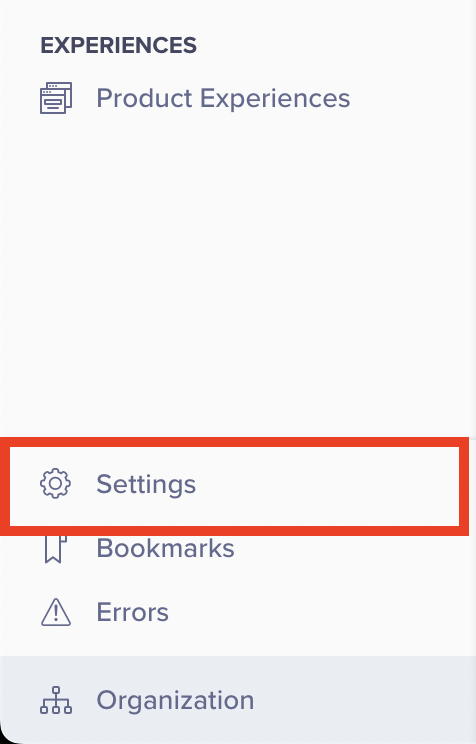
2. Navigate to the *Settings* page by clicking the gear icon in the bottom left navigation panel and selecting Settings dashboard.
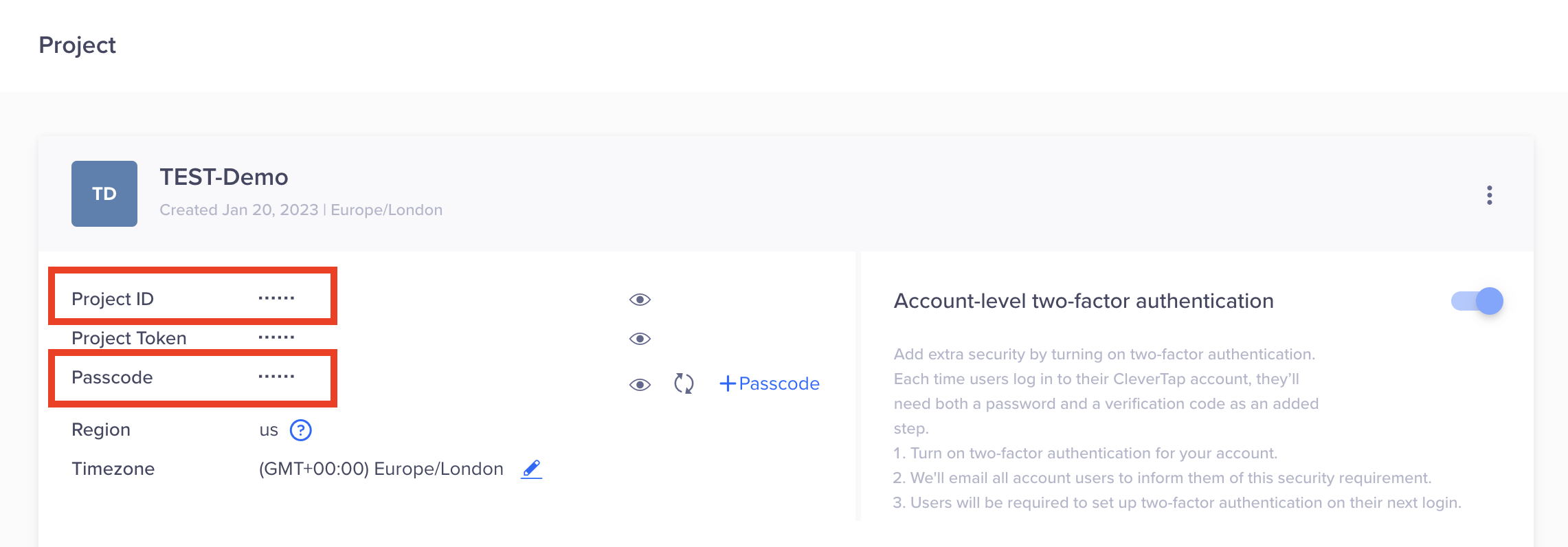
 3. Copy values from the *Project ID* and *Passcode* fields. We will need this information in the following steps.
 4. Navigate to the *Tools → Integrations* section in your [Qonversion account](https://dash.qonversion.io/)
5. Choose your platform (IOS or Android), click the *Add new +* button, and select **CleverTap**
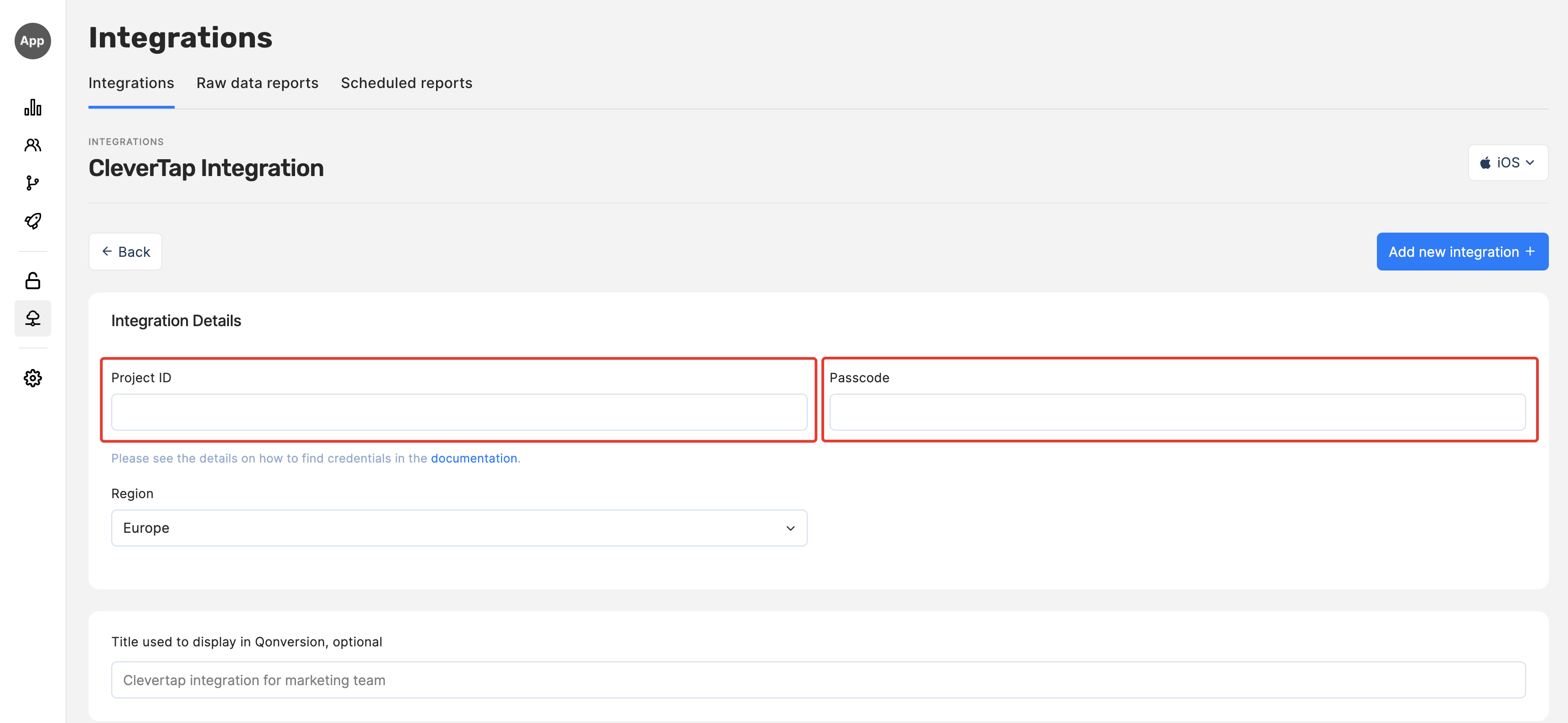
6. Provide the **Project ID** and **Passcode** copied during the fourth step above to the corresponding fields
4. Navigate to the *Tools → Integrations* section in your [Qonversion account](https://dash.qonversion.io/)
5. Choose your platform (IOS or Android), click the *Add new +* button, and select **CleverTap**
6. Provide the **Project ID** and **Passcode** copied during the fourth step above to the corresponding fields
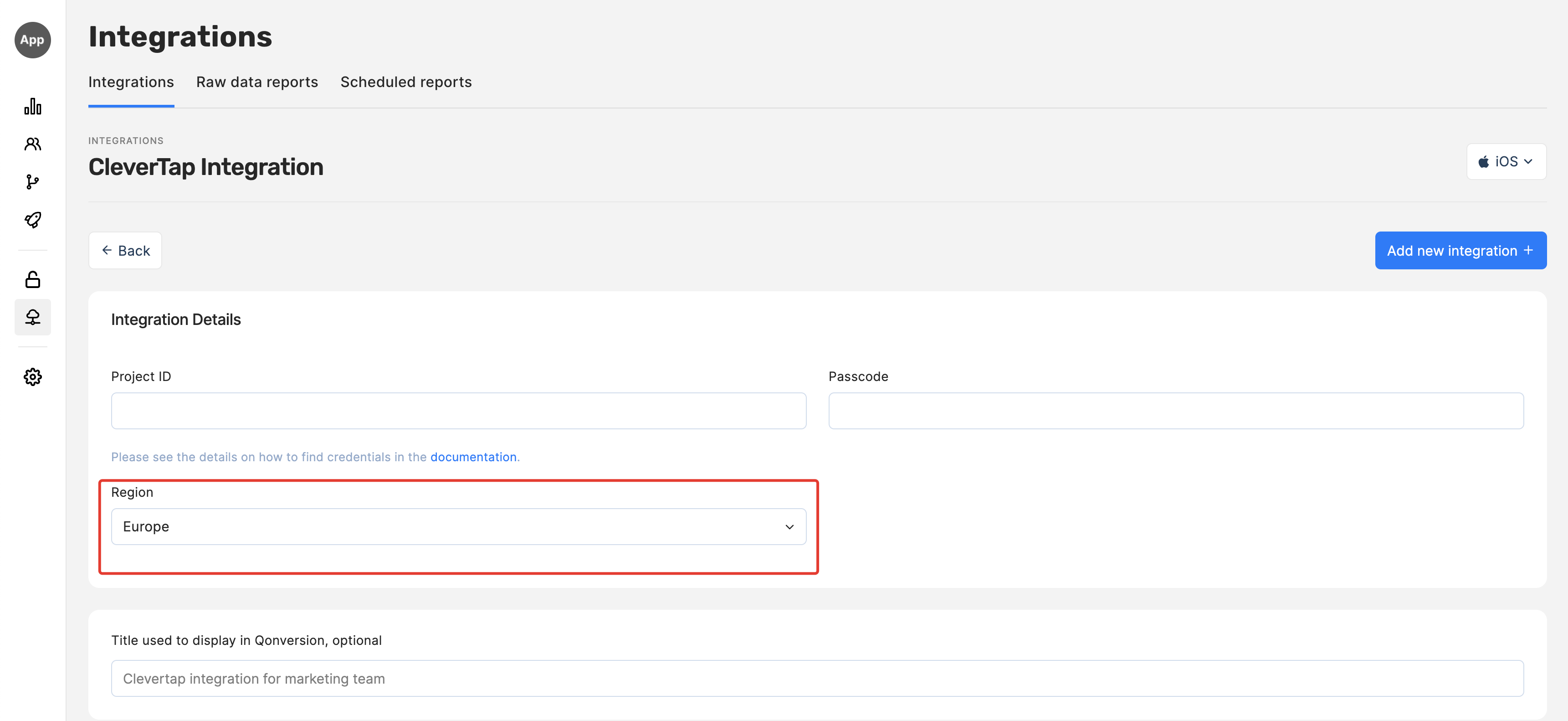
 7. Choose your CleverTap account region
 8. Click **Save** or **Add new integration**
9. Congratulations! Now Qonversion will be sending all the [subscription events](integrations-overview#tracked-events) to your CleverTap account.
## Event Payload
In case you need details about data sent to CleverTap, follow the example below:
```json theme={null}
{
"d":[
{
"identity":"", //Unique user identifier set by the app owner
"ts":1686891155,
"type":"event",
"evtName":"subscription_renewed",
"evtData":{
"id":000000000,
"platform":"iOS",
"ip":"000.000.00.0",
"product_id":"product_id",
"quantity":1,
"transaction_id":"2000000456329567",
"country":"TR",
"storefront":"USA",
"app_version":"1.0",
"os_name":"iOS",
"os_version":"16.4.1",
"device_model":"iPhone 11",
"device_id":"",
"revenue":1049.993,
"currency":"TRY"
}
}
]
}
```
***
[Braze](braze)
[Facebook Ads](facebook)
8. Click **Save** or **Add new integration**
9. Congratulations! Now Qonversion will be sending all the [subscription events](integrations-overview#tracked-events) to your CleverTap account.
## Event Payload
In case you need details about data sent to CleverTap, follow the example below:
```json theme={null}
{
"d":[
{
"identity":"", //Unique user identifier set by the app owner
"ts":1686891155,
"type":"event",
"evtName":"subscription_renewed",
"evtData":{
"id":000000000,
"platform":"iOS",
"ip":"000.000.00.0",
"product_id":"product_id",
"quantity":1,
"transaction_id":"2000000456329567",
"country":"TR",
"storefront":"USA",
"app_version":"1.0",
"os_name":"iOS",
"os_version":"16.4.1",
"device_model":"iPhone 11",
"device_id":"",
"revenue":1049.993,
"currency":"TRY"
}
}
]
}
```
***
[Braze](braze)
[Facebook Ads](facebook)