> ## Documentation Index
> Fetch the complete documentation index at: https://documentation.qonversion.io/llms.txt
> Use this file to discover all available pages before exploring further.
# Automation Troubleshooting
**Deprecated.** The push-notifications flow this page troubleshoots depended on the legacy
`Automations` SDK module, which has been removed from the current iOS and Android SDKs. The
replacement `NoCodes` module does not currently expose push-token or notification-handling
methods. The dashboard fields below (Push Key, Team ID, Firebase Project ID, Service Account
Key) still exist but no current SDK delivers their tokens.
## Not receiving push notifications
* Make sure notifications are enabled for your app on the device.
* Set the [push notifications token](/docs/configure-push-notifications) with Qonversion SDK.
* Ensure you are sending a test push notification to the correct device
* Ensure you are testing the automation configured for the correct OS
* If you are still facing issues, sometimes reinstalling the app may help.
In case you are not receiving a push notification on your test device, please check the following errors:
### 1. Invalid access token received
Make sure that you set the correct [Project Key](/docs/quickstart#2-create-a-project-and-register-your-app) in `Qonversion.launch(withKey: "projectKey")` method.
### 2. Invalid Push Key and Team IDs
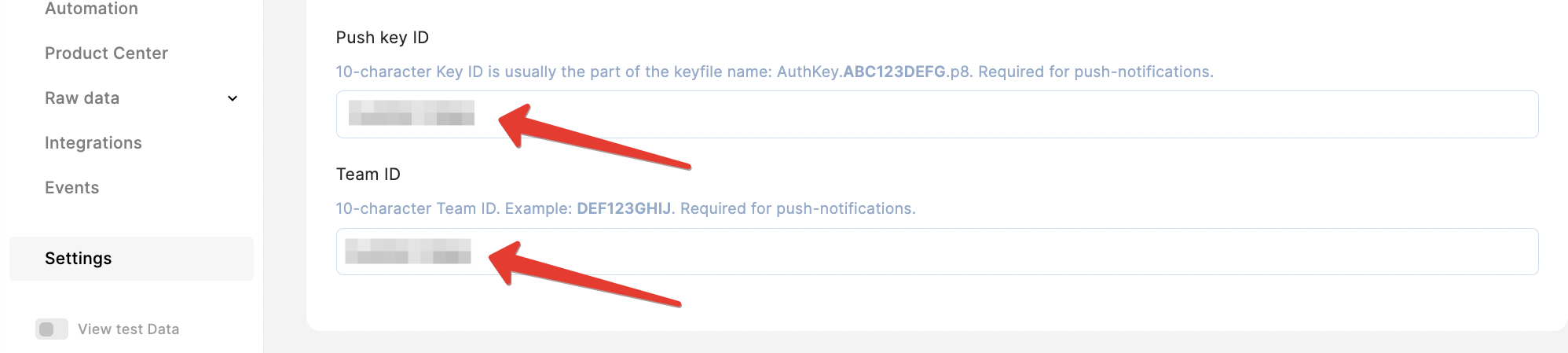
Make sure to provide correct 10-character **Push Key** and **Team ID** values required for the push notifications in your Qonversion project **Settings**.
 ### 3. Invalid Firebase Project ID and Service Account Key
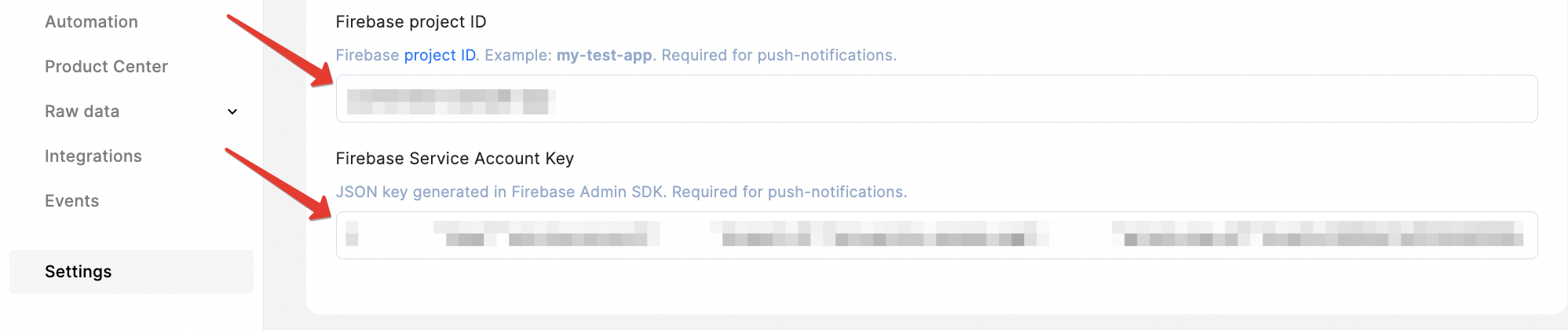
Make sure to provide correct **Firebase Project ID** and **Service Account Key** in your Qonversion project **Settings**.
### 3. Invalid Firebase Project ID and Service Account Key
Make sure to provide correct **Firebase Project ID** and **Service Account Key** in your Qonversion project **Settings**.