> ## Documentation Index
> Fetch the complete documentation index at: https://documentation.qonversion.io/llms.txt
> Use this file to discover all available pages before exploring further.
# Asapty
> Send in-app subscription and purchases events to Asapty
## Requirements
Before setting up the integration with Asapty, ensure that you have configured integration with [Apple Search Ads](apple-search-ads) and can view events attributed to this media source on the dashboard.
## Configure Integration
1. Navigate to the integrations page in Qonversion and select [Asapty](https://dash.qonversion.io/app/integration/create?name=asapty).
2. Find Asapty ID and provide it to Qonversion integration.
3. Configure Global Event Preferences:
* Send Revenue Properties: Leave this enabled to receive revenue values. Disable only if you do not require revenue data.
* Send Sales as Proceed: Choose whether to send revenue values net of App Stores’ commission (default) or gross.
* Send Sandbox Events: Activate this toggle if you wish to receive sandbox events during testing.
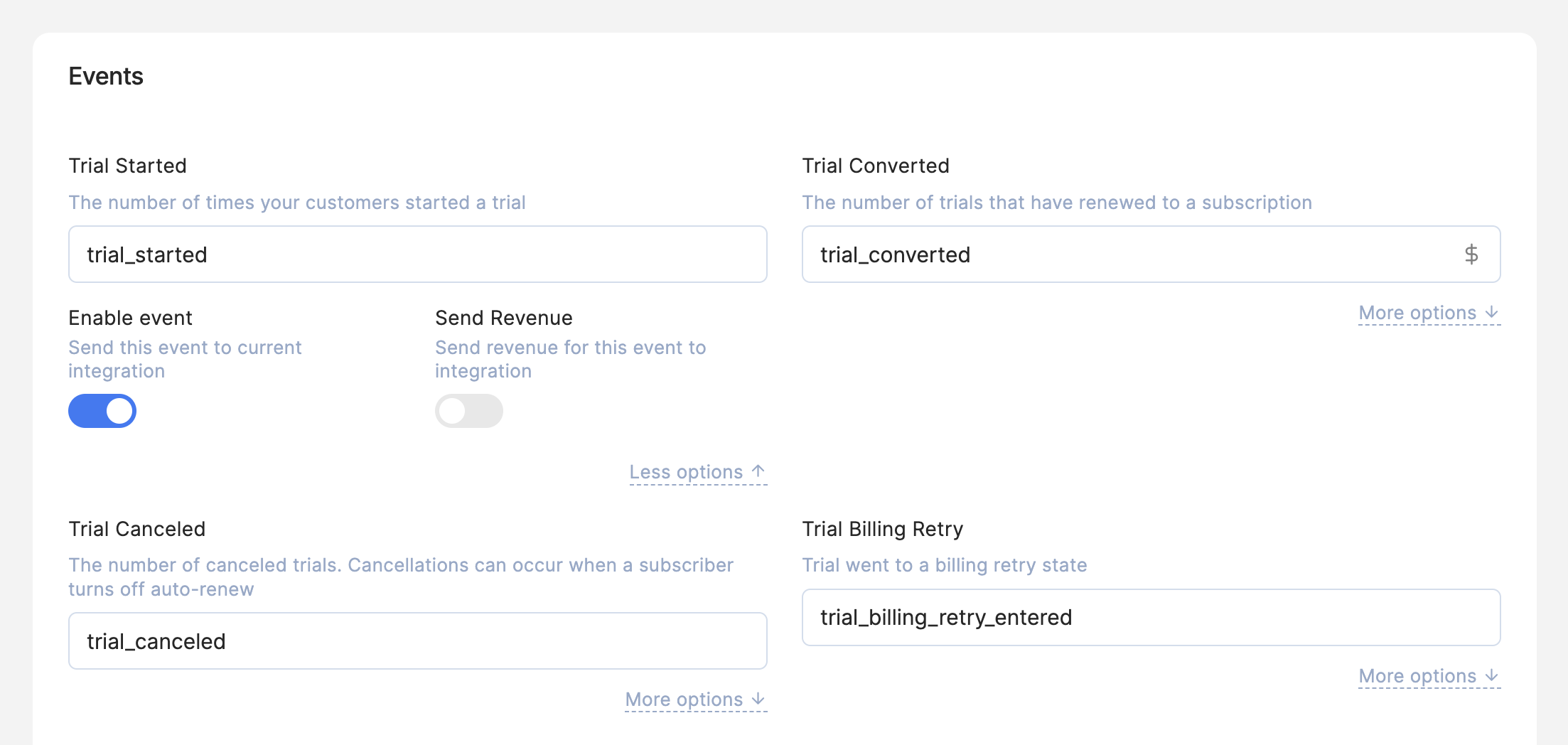
 4. Fine-Tune Event Settings: For each event, click More options to configure specific settings:
* Enable Event: Toggle on to include the event in this integration. Turn it off if you do not need it.
* Send Revenue: Enable or disable sending revenue for this particular event.
4. Fine-Tune Event Settings: For each event, click More options to configure specific settings:
* Enable Event: Toggle on to include the event in this integration. Turn it off if you do not need it.
* Send Revenue: Enable or disable sending revenue for this particular event.
 5. Save Your Configuration: Ensure that all settings are as desired and click Add new integration+/ Save to apply.
### Done
Now Qonversion will start sending in-app purchases and subscriptions data to your Asapty account.
### Notes
1. You must repeat these steps for each app connected to Asapty.
2. Qonversion only supports sending In-App events from users attributed with Apple Search Ads. Install postbacks are not supported.
***
[AppsFlyer](appsflyer)
[Branch](branch)
5. Save Your Configuration: Ensure that all settings are as desired and click Add new integration+/ Save to apply.
### Done
Now Qonversion will start sending in-app purchases and subscriptions data to your Asapty account.
### Notes
1. You must repeat these steps for each app connected to Asapty.
2. Qonversion only supports sending In-App events from users attributed with Apple Search Ads. Install postbacks are not supported.
***
[AppsFlyer](appsflyer)
[Branch](branch)