> ## Documentation Index
> Fetch the complete documentation index at: https://documentation.qonversion.io/llms.txt
> Use this file to discover all available pages before exploring further.
# Apple Family Sharing
> Apple Family Sharing allows a user to share a subscription with up to 5 other family members. Family Sharing can help increase customer engagement and improve retention of your app.
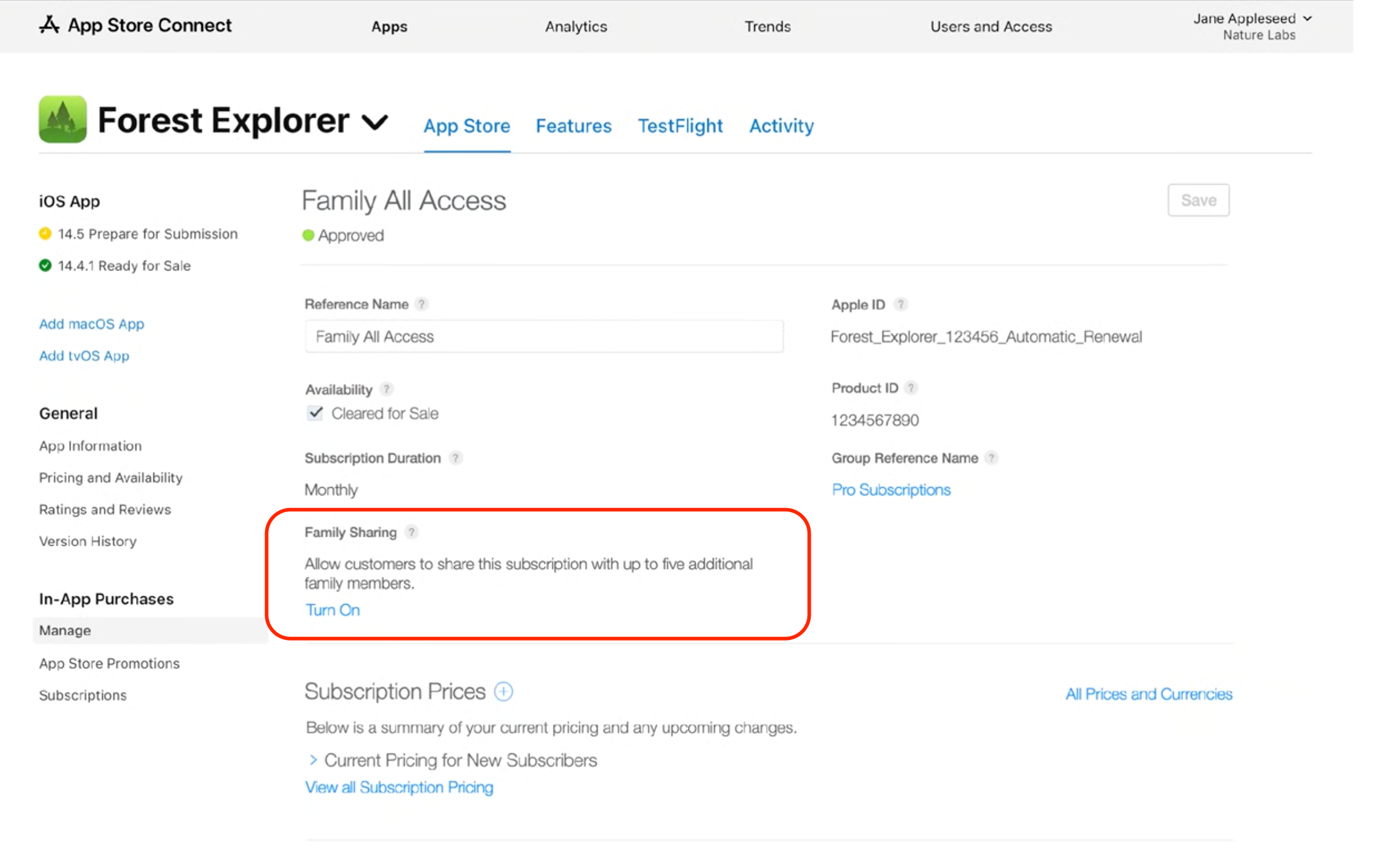
To begin, you can visit App Store Connect to turn on Family Sharing for a specific product. You can navigate to your apps page and select 'Turn On' in the Family Sharing section. Note that once you turn on Family Sharing for a product, you cannot turn it off.
 Qonversion [Subscription Management mode](subscription-management-mode) supports Family Sharing out-of-the-box. You just need to set up [your products and entitlements](subscription-management-mode#1-configure-products--entitlements). Family Sharing will be available automatically.
## Family Sharing Implementation
1. After the initial purchase, every family member will receive the transaction in`func paymentQueue(_ queue: SKPaymentQueue, updatedTransactions transactions: [SKPaymentTransaction])` method with `restored` type
2. You will only see the transactions from the first user who made a purchase in the Qonversion dashboards.
***
[App Store Small Business Program](app-store-small-business-program)
[Migrate from SwiftyStoreKit](swiftystorekit-alternative)
Qonversion [Subscription Management mode](subscription-management-mode) supports Family Sharing out-of-the-box. You just need to set up [your products and entitlements](subscription-management-mode#1-configure-products--entitlements). Family Sharing will be available automatically.
## Family Sharing Implementation
1. After the initial purchase, every family member will receive the transaction in`func paymentQueue(_ queue: SKPaymentQueue, updatedTransactions transactions: [SKPaymentTransaction])` method with `restored` type
2. You will only see the transactions from the first user who made a purchase in the Qonversion dashboards.
***
[App Store Small Business Program](app-store-small-business-program)
[Migrate from SwiftyStoreKit](swiftystorekit-alternative)