> ## Documentation Index
> Fetch the complete documentation index at: https://documentation.qonversion.io/llms.txt
> Use this file to discover all available pages before exploring further.
# App-Specific Shared Secret
> App-Specific Shared Secret is a key to receive receipts for auto-renewable in-app subscriptions. See how to generate the app's shared secret below.
You need to provide the app-specific shared secret to Qonversion, so we can verify your in-app purchases. Qonversion provides out-of-the-box in-app subscription infrastructure. Learn more about [Qonversion](https://qonversion.io) and [sign up](https://dash.qonversion.io/site/signup?utm_source=docs\&utm_medium=docs\&utm_campaign=sharedsecret) for free.
Follow the steps below to get the shared secret for your iOS app:
## 1. Navigate to the In-App Purchases section in App Store Connect
1. [Log in](https://appstoreconnect.apple.com/login) to your App Store Connect account.
2. Choose [Apps](https://appstoreconnect.apple.com/apps) and select the App.
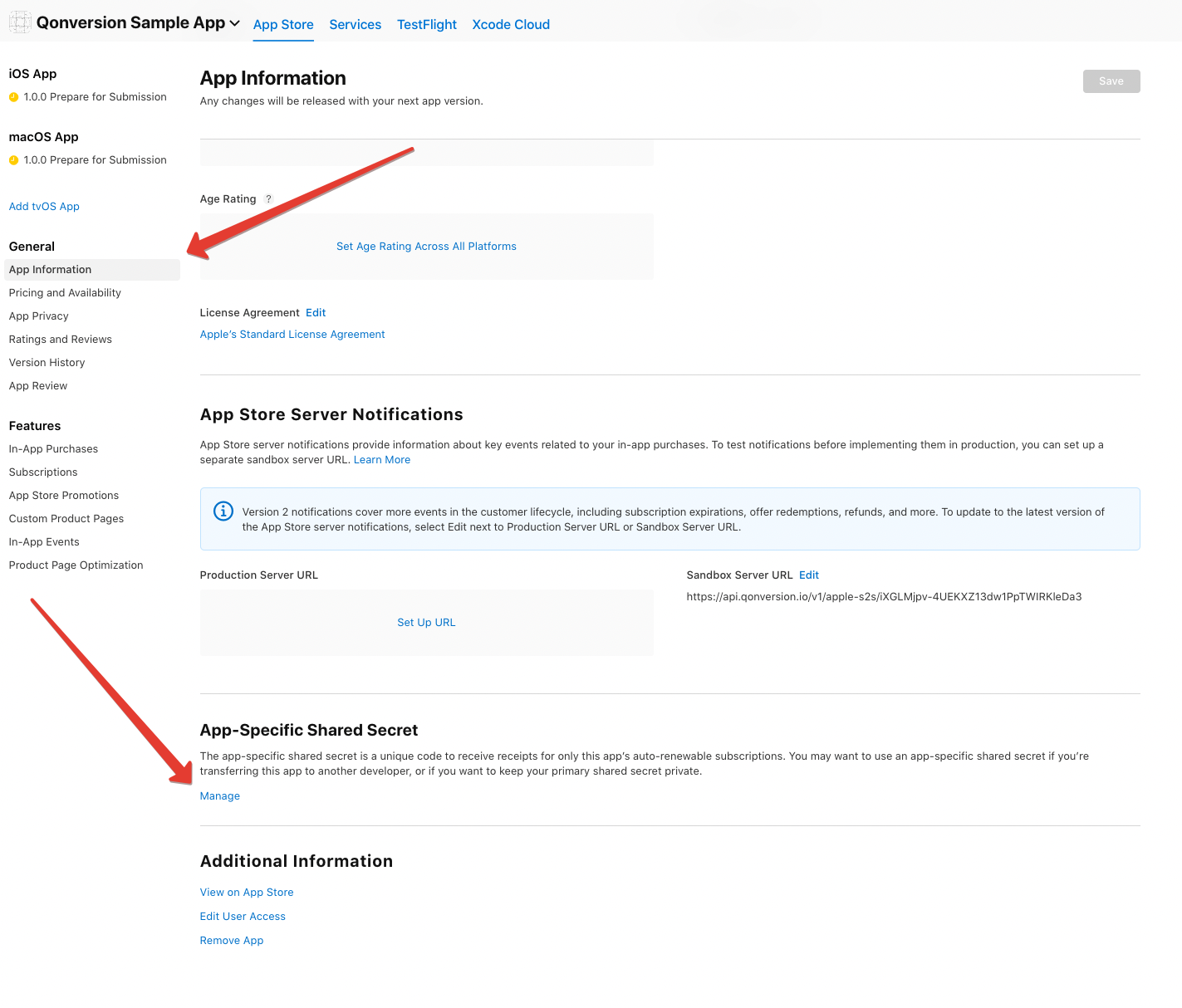
3. Select the App Information section from the left side menu.
4. Scroll down to the "App-Specific Shared Secret" label and click the "Manage" button.
 ## 2. Generate the shared secret
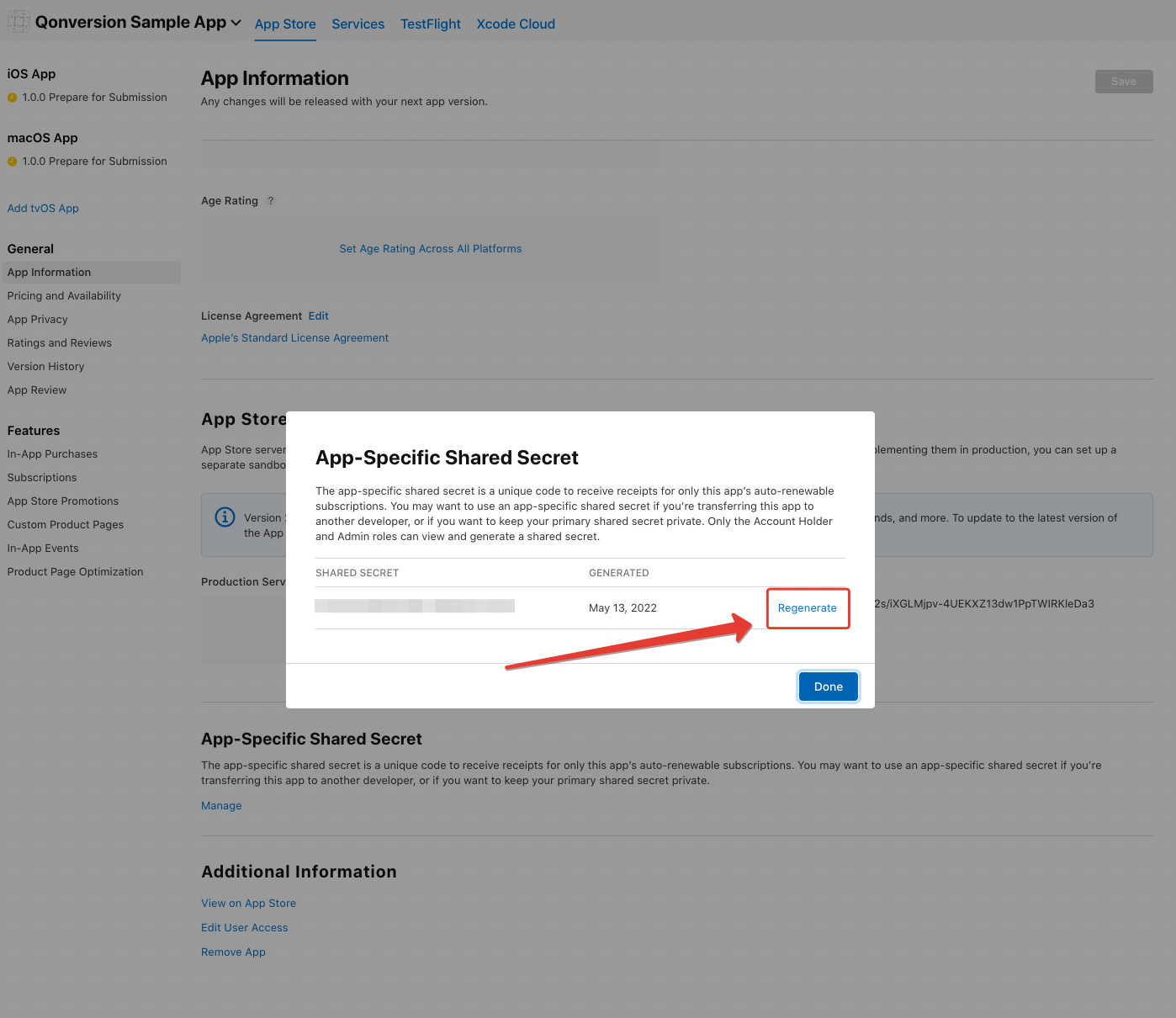
Generate and copy your shared secret.
## 2. Generate the shared secret
Generate and copy your shared secret.
 ***
What’s Next
Learn more about App Store Connect Shared Secret in our blog.
* [App Store Connect Shared Secret](https://qonversion.io/blog/app-store-connect-shared-secret/)
***
What’s Next
Learn more about App Store Connect Shared Secret in our blog.
* [App Store Connect Shared Secret](https://qonversion.io/blog/app-store-connect-shared-secret/)