> ## Documentation Index
> Fetch the complete documentation index at: https://documentation.qonversion.io/llms.txt
> Use this file to discover all available pages before exploring further.
# Refund Keeper Analytics Overview
> Refund Keeper doesn't just automate refund defense - it gives you full visibility into your refund activity and savings, all in one place.
Here's what you'll find inside the **Refund Keeper** Analytics section. For general subscription analytics, see [Subscriptions](/docs/subscriptions) and [Events](/docs/events-analytics).
## Analytic Widgets
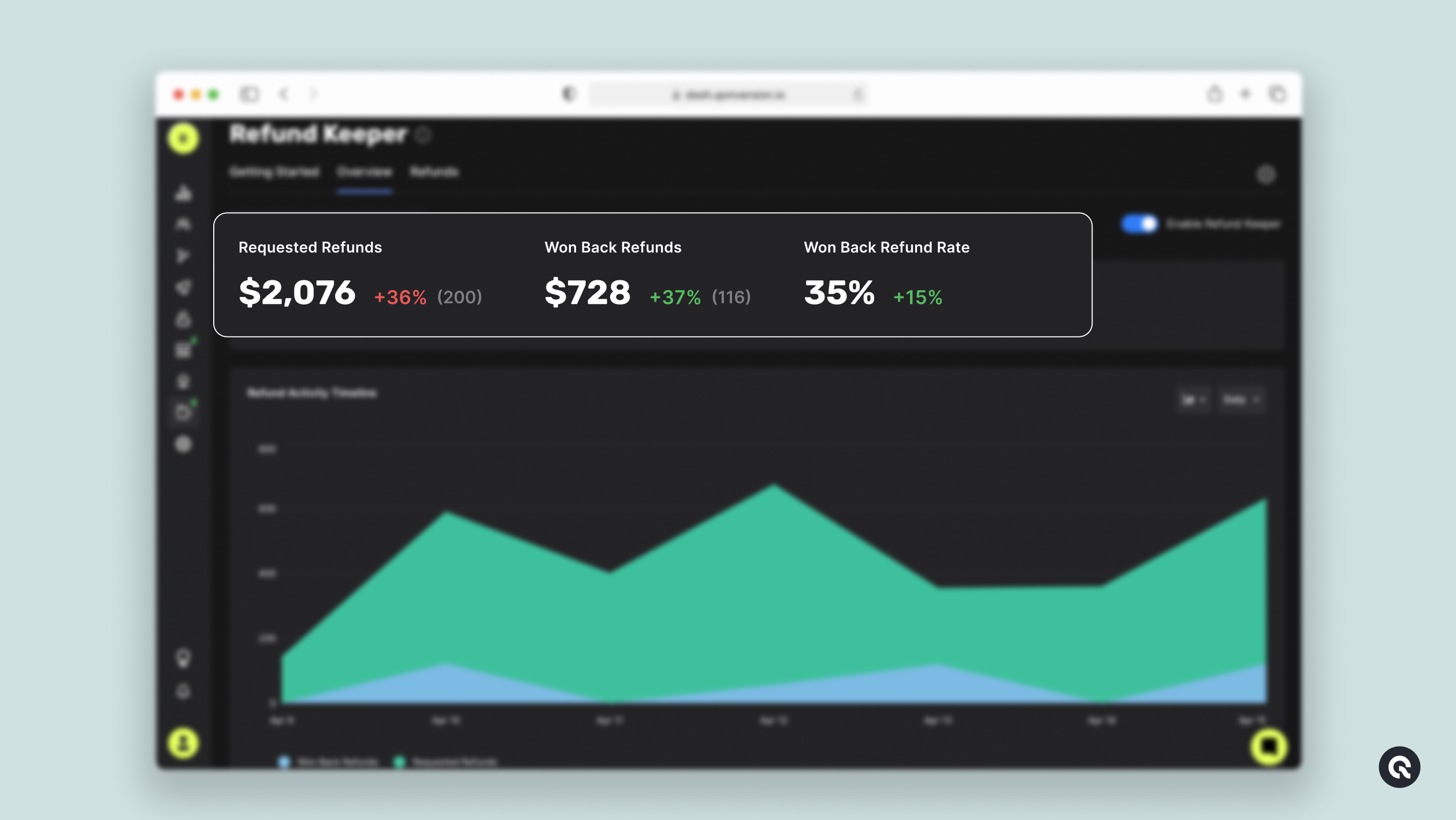 ### Requested Refunds
* Total number of refund requests submitted by users
* Total dollar value (\$) of requested refunds
### Won Back Refunds
* Number of refund requests successfully declined (blocked)
* Total dollar value (\$) of revenue saved from declined refunds
### Won Back Refunds Rate
* The percentage of refund requests Refund Keeper helped block.
* Calculated as `(Won Back Refunds / Requested Refunds) × 100`.
***
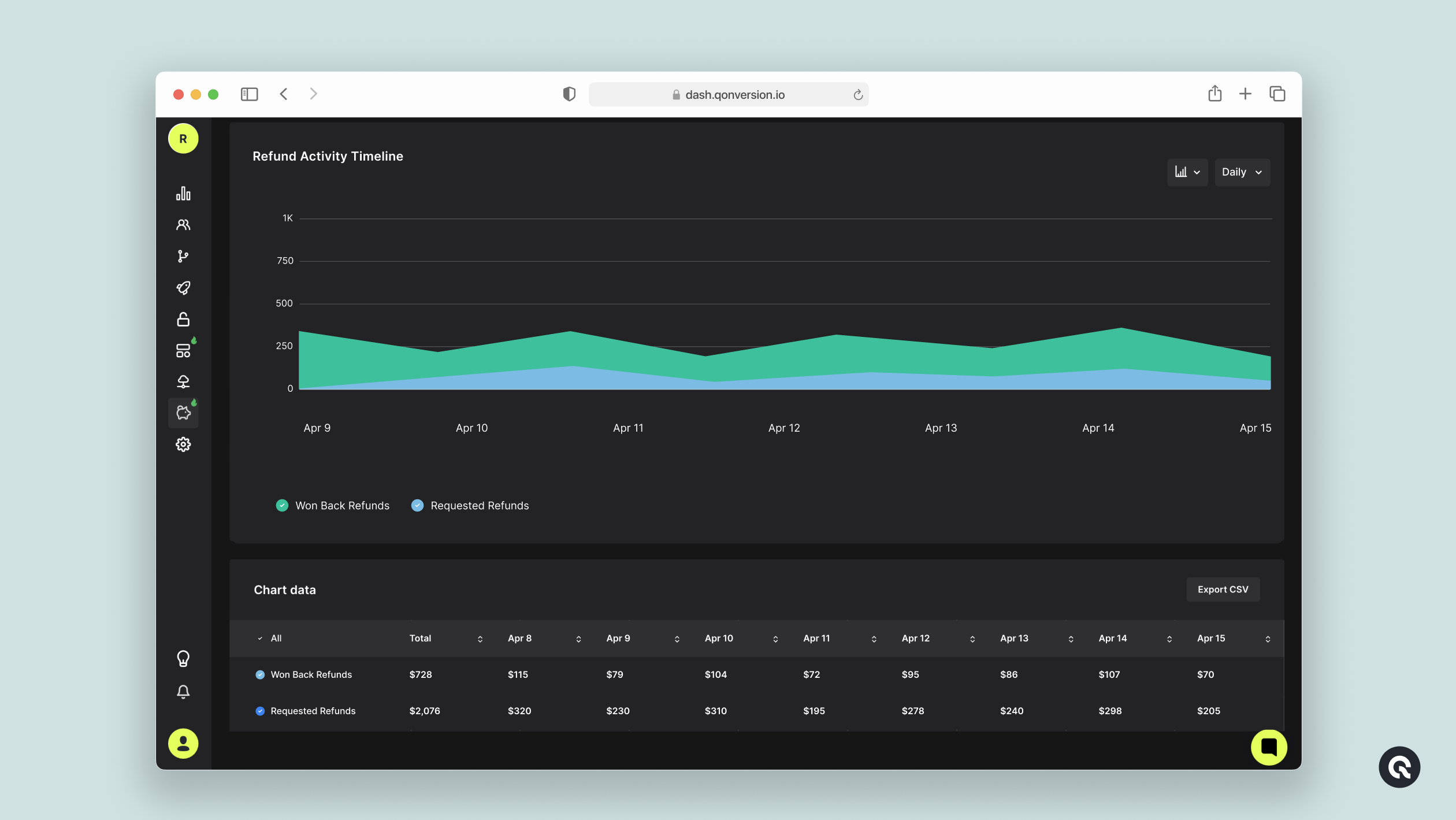
## Refund Activity Timeline Chart
* A dynamic timeline of refund requests and refunds won back over a selected period
### Requested Refunds
* Total number of refund requests submitted by users
* Total dollar value (\$) of requested refunds
### Won Back Refunds
* Number of refund requests successfully declined (blocked)
* Total dollar value (\$) of revenue saved from declined refunds
### Won Back Refunds Rate
* The percentage of refund requests Refund Keeper helped block.
* Calculated as `(Won Back Refunds / Requested Refunds) × 100`.
***
## Refund Activity Timeline Chart
* A dynamic timeline of refund requests and refunds won back over a selected period
 ## Detailed Refund Table
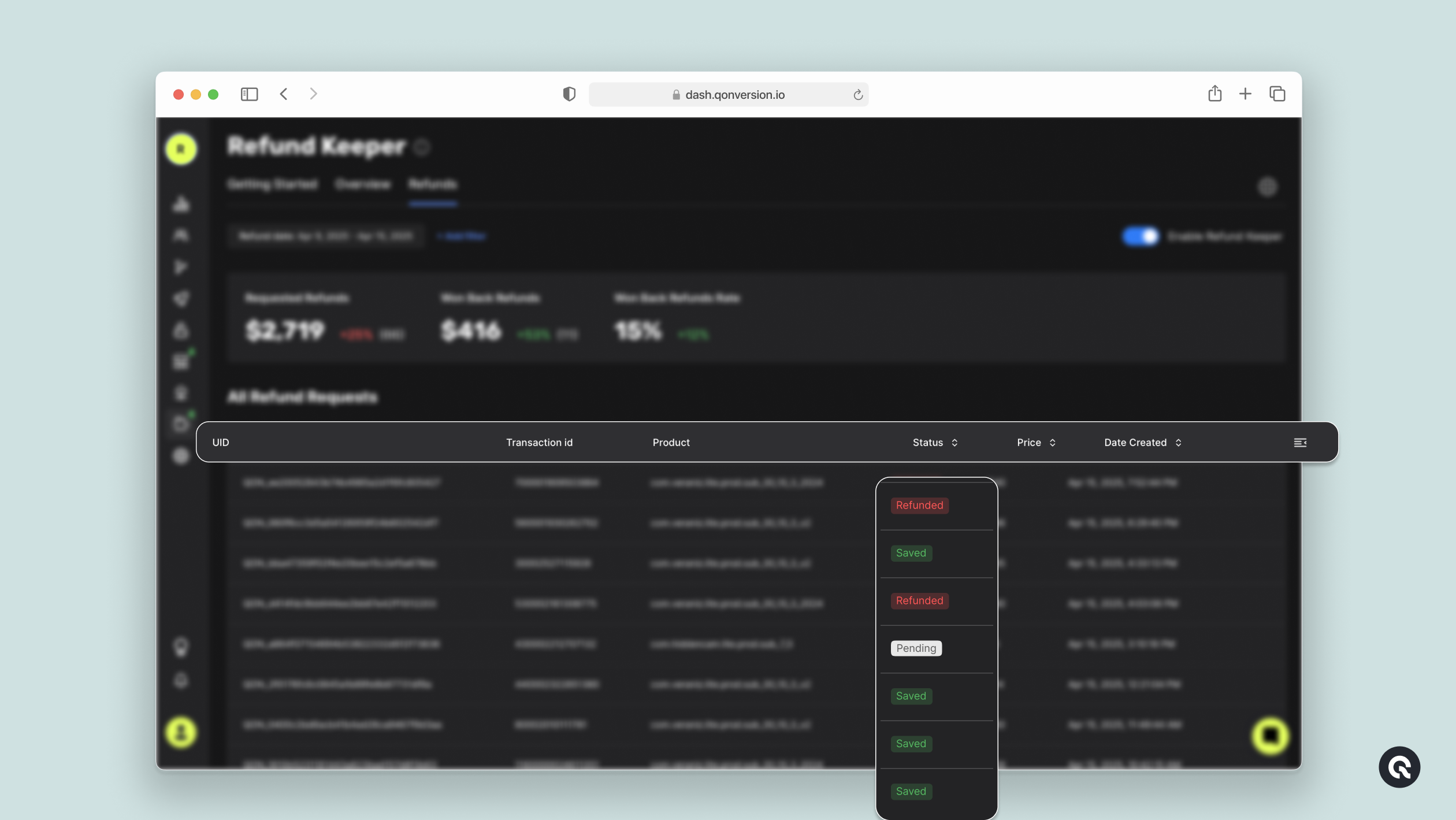
A table listing every refund request, with the following columns:
* **UID** - Qonversion user ID
* **Transaction id** - the platform transaction identifier
* **Product** - the product purchased
* **Status** - one of `Pending`, `Refunded` (refund approved by the store), or `Saved` (Refund Keeper successfully blocked the refund)
* **Price** - the refund amount, displayed in your selected currency
* **Date Created** - when the refund request was submitted
You can filter the table by tab (All / Pending / Refunded / Saved) and search by UID or transaction ID.
## Detailed Refund Table
A table listing every refund request, with the following columns:
* **UID** - Qonversion user ID
* **Transaction id** - the platform transaction identifier
* **Product** - the product purchased
* **Status** - one of `Pending`, `Refunded` (refund approved by the store), or `Saved` (Refund Keeper successfully blocked the refund)
* **Price** - the refund amount, displayed in your selected currency
* **Date Created** - when the refund request was submitted
You can filter the table by tab (All / Pending / Refunded / Saved) and search by UID or transaction ID.
 ### Important Notes
***
1. **Refund Keeper** Analytics only tracks refund events where Refund Keeper was active.
2. Currently available for App Store refunds (Google Play refunds are not supported).
3. Requires Qonversion **Growth** or **Enterprise** Plan and **Server Notifications V2** enabled.
**Refund Keeper** makes it easy to see not just that you're saving revenue—but exactly how, where, and when you're doing it 🚀
***
[Enable Refund Keeper](enable-refund-keeper)
[Raw Data Export](raw-data-reports)
### Important Notes
***
1. **Refund Keeper** Analytics only tracks refund events where Refund Keeper was active.
2. Currently available for App Store refunds (Google Play refunds are not supported).
3. Requires Qonversion **Growth** or **Enterprise** Plan and **Server Notifications V2** enabled.
**Refund Keeper** makes it easy to see not just that you're saving revenue—but exactly how, where, and when you're doing it 🚀
***
[Enable Refund Keeper](enable-refund-keeper)
[Raw Data Export](raw-data-reports)